
Appearance
PopClip Extensions Directory / Unlisted Extensions / Twos
Unlisted Extension
This extension is published on ma-burke's page but is not listed in the main directory index.
Demo
Readme
Twos for PopClip
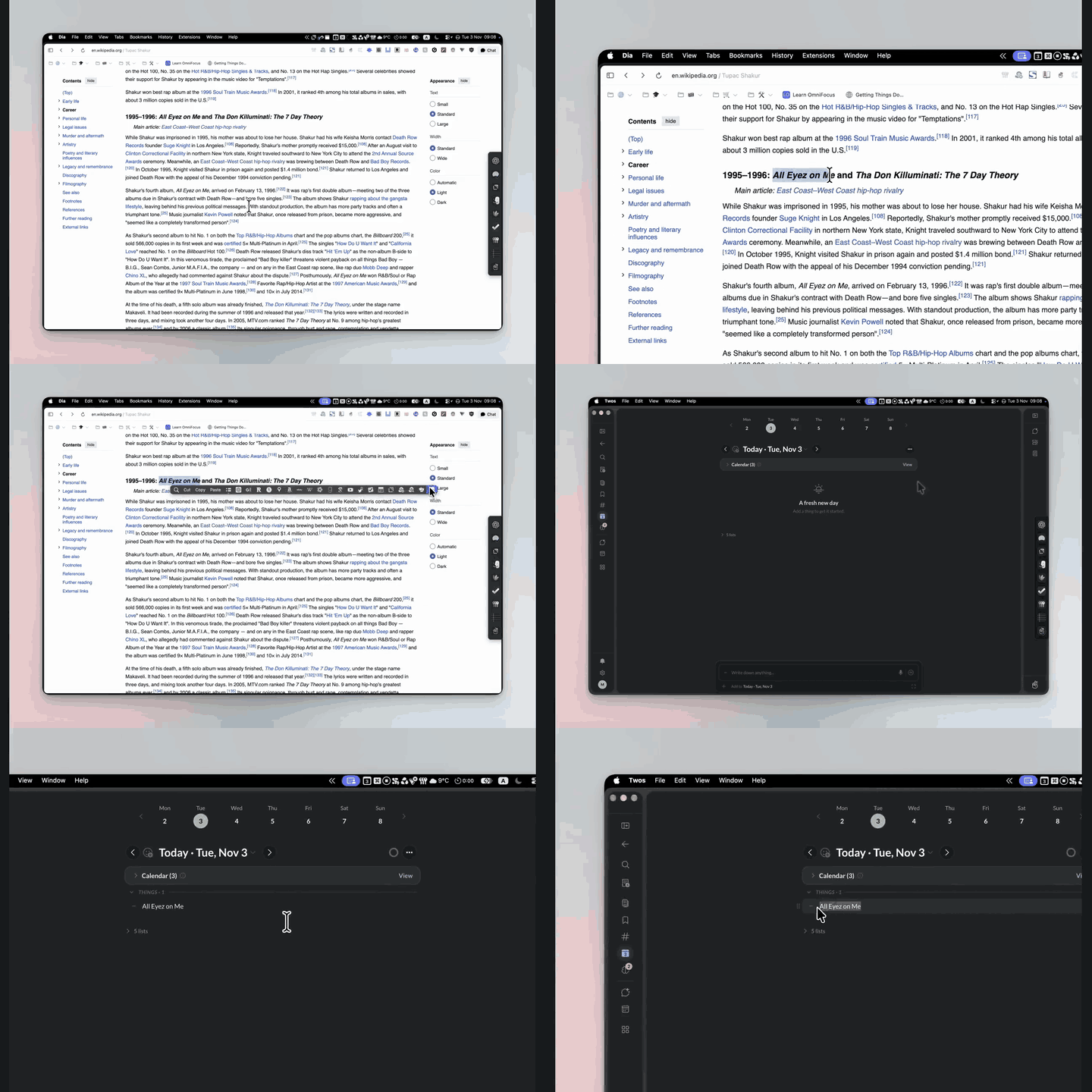
Save selected text to Today or another existing Twos list with one click.
Demo
Install and configure
- Use PopClip 2026.8.1 (build 6221) or later.
- Open the Twos.popclipext package or a Twos.popclipextz installer with PopClip and approve installation. Source packages are unsigned; the PopClip directory signs extensions after review.
- In Twos → Settings → API Keys, create a personal API key with write:things permission. To use Sublist, also grant write:lists. No read permission is required.
- In PopClip's extension settings for Twos, paste the key into API key. PopClip stores this secret in this Mac's Keychain; the key is not embedded in the extension.
- Set Add to list to Today, or choose Other… and enter an existing list's exact name or 24-character list ID. An ID is useful if several lists have the same name. This is a saved destination field, not a live dropdown of all your Twos lists.
- Set Default thing type to Dash, To-do, Bullet, Number, Note, or Sublist. Dash is the default.
- Optionally enter a Default tag, such as
readingor#reading. The extension adds one#automatically. Leave it empty to add no default tag. Use a single tag without spaces; letters, numbers, underscores and hyphens are supported.
Use
Select text in any app where PopClip works, then click the Twos logo button (tooltip: Add to Twos). A check mark means the API returned a created item. Open Twos to see it.
- Today is resolved by Twos when you click, in your account's timezone. It is not fixed to the installation date and does not follow the list currently open in Twos.
- Other destinations can be a list name, list ID,
tomorrow,yesterday, or a date such as2026-11-10. - Ordinary captures create one thing of your selected type, including for a selection containing line breaks. Note creates plain text without a bullet or checkbox.
- A default tag is appended to the selected text and sent as a Twos tag. For example,
Read laterwith tagreadingbecomesRead later #reading. An existing matching hashtag is not appended again; matching ignores case. Other visible hashtags are retained. - The extension preserves the selected text for ordinary captures and does not append a source URL. Twos may interpret Markdown within that text; original rich text styling is not captured.
- Internet access and a Twos account with an API key are required. The Twos desktop app is optional: captures go directly to the Twos service, so the app does not need to be installed or running.
- To change the destination or API key later, open this extension's settings in PopClip.
Sublists
Sublist creates a new, empty Twos list, then places its native sublist link in your chosen destination. The selection becomes the list's title; line breaks and repeated spaces are collapsed into single spaces. If a default tag is set, it is appended to that title and applied to the parent entry. Each successful capture creates a new list, even if another list has the same name.
For example, select Trip ideas, choose Sublist, and use tag travel: a new list named Trip ideas #travel is linked from Today (or your saved destination). This requires both write:lists and write:things on the API key.
If it fails
A missing/invalid key, invalid setting, missing permission, or rejected destination opens extension settings when no new sublist has been confirmed. Check write:things, and write:lists for Sublist, plus the destination spelling; use the list ID for duplicate names. Other errors show PopClip's failure indicator. If a connection times out or a server response is unexpected, check Twos before clicking again: the save may already have happened. The extension does not retry automatically or queue offline captures.
Sublist creation and placement are separate writes. If the new list is created but the destination link fails, the list remains in Twos. Check Lists and your destination; you can use Twos' Add to action to place the existing new list instead of capturing again. The extension does not delete the new list on a failed placement.
The key and selected text are sent only to https://www.twosapp.com over HTTPS, including when creating a new sublist. There is no analytics or helper service.
Source
Config.json defines the settings and action. add.js performs one API request for ordinary things, or two for a new sublist. There are no external executables to install; Axios is supplied by PopClip. This extension is provided under the included MIT license and is not an official Twos or PopClip extension.
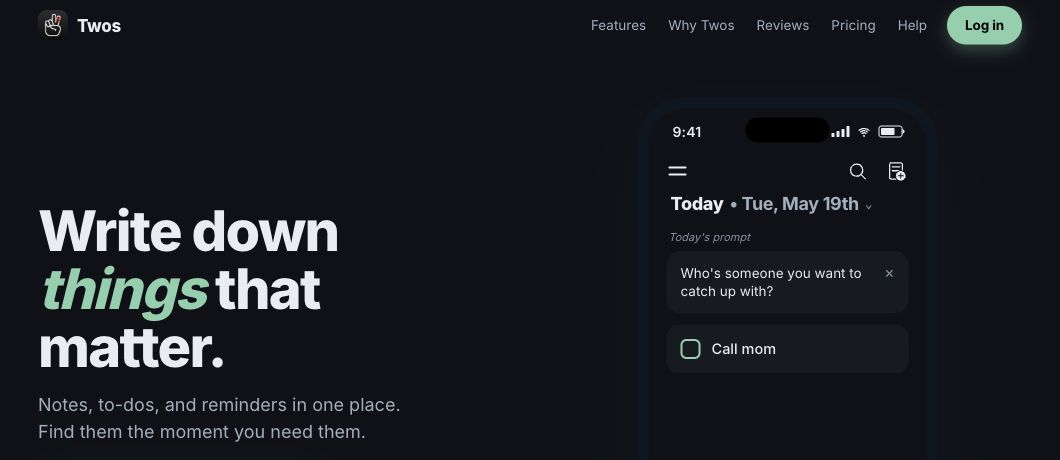
Banner: cropped from the Twos public website, 3 November 2026. Website design and screenshot © Twos Technologies Inc.; the MIT license applies to this extension's code.
Icon: the official monochrome Twos mark from the desktop app's app-icons/mono.png asset, prepared as a transparent 512 × 512 PNG for PopClip. The original mark's proportions are preserved and centered with padding. Twos logo © Twos Technologies Inc.
Changelog
1.1.3 (2026-11-03): Added the native Twos bundle identifier to the app metadata; kept desktop installation optional for API captures.
1.1.2 (2026-11-03): Replaced the text icon with the official Twos logo, adapted for PopClip's monochrome toolbar.
1.1.1 (2026-11-03): Clarified the data-transmission description for Sublist; capture behavior is unchanged.
1.1.0 (2026-11-03): Added the default thing type dropdown (including new nested lists) and an optional default hashtag.
1.0.3 (2026-11-03): Embedded an automatically looping GIF demo in the documentation.
1.0.2 (2026-11-03): Added a silent video demonstrating capture to Today. Extension behavior is unchanged.
1.0.1 (2026-11-03): Added a documentation banner showing the Twos website and Today preview. Extension behavior is unchanged.
1.0.0 (2026-11-03): Initial release, with capture to Today or a saved list name or ID.
Info
- Created
Nov 3, 2026 - Version
1.1.3 - Identifier
local.twos.capture.01a1a08c - PopClip Version
≥2026.8.1 - Action Type
JavaScript (with internet access) - License
MIT License - Maintainer
ma-burke - Source
ma-burke/twos-popclip/.../source/Twos.popclipext/
Works With
- Twos: https://www.twosapp.com/