Appearance
PopClip Extensions Directory / Save Links / GoodLinks
Readme
GoodLinks
Save a selected URL directly to the local GoodLinks app via its built-in API.
Configuration
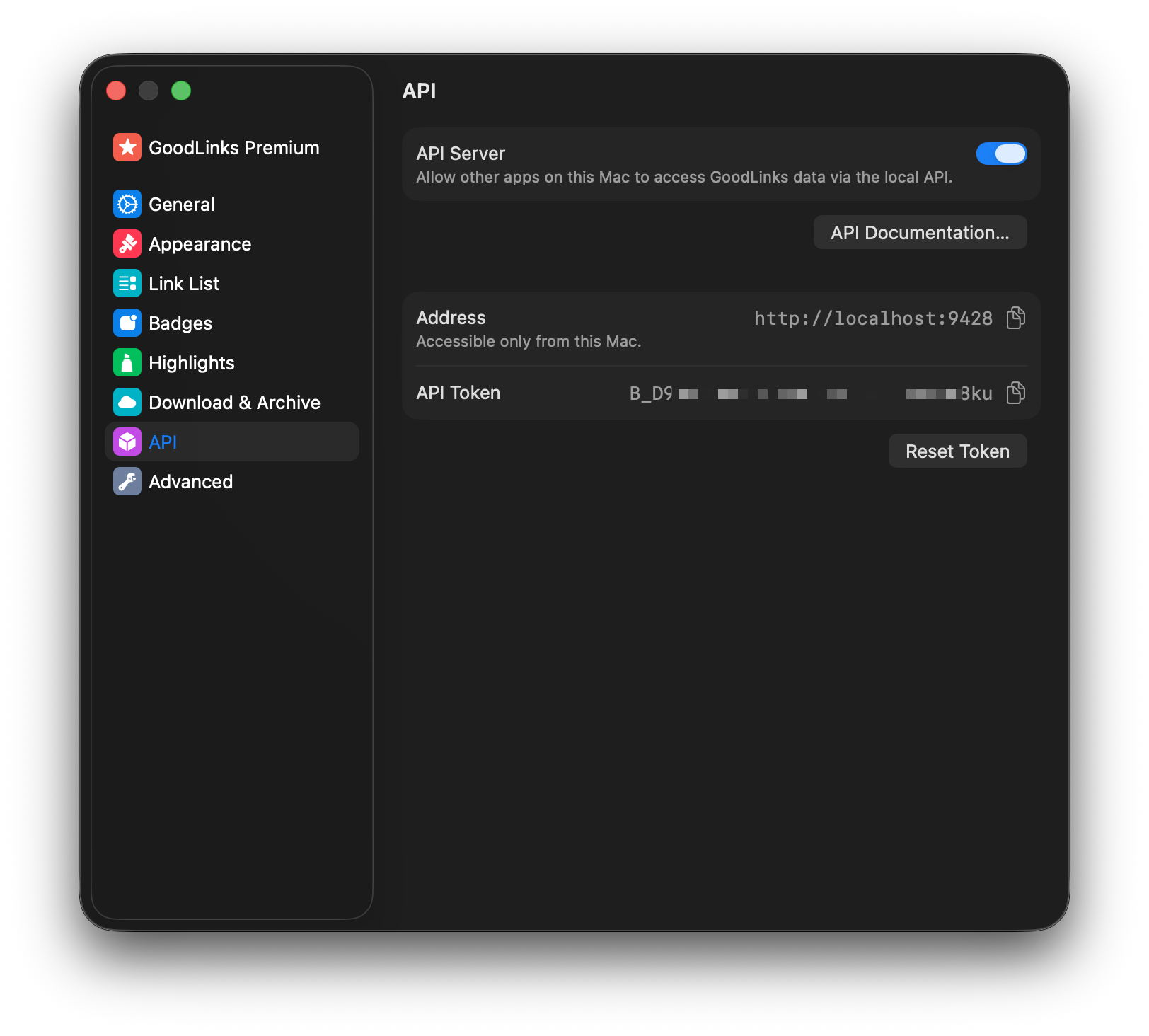
Before using the extension:
- Open GoodLinks and go to
Settings > API. - Enable
API Server. - Copy the API Token into the PopClip extension settings.
Optional settings:
Default Tags: Comma-separated tags to add to each saved link.Star by Default: Save each new link to the Starred list.Mark as Read: Save each new link as already read.
Notes
- Requires GoodLinks 3.2 or later.
- The extension uses GoodLinks' local
POST /api/v1/linksendpoint, which adds the URL if it is new or updates the existing saved link if the URL is already in your library.
Links:
Changelog
- 3 Apr 2026: Initial version
Info
- Updated
Apr 3, 2026 - Version
337 - Identifier
com.pilotmoon.popclip.extension.goodlinks - PopClip Version
≥2025.9.2 - Action Type
JavaScript (with internet access) - License
MIT License - Maintainer
Nick Moore - Source
pilotmoon/PopClip-Extensions/.../source/GoodLinks.popclipext/
Works With
- GoodLinks: https://goodlinks.app/